Teachers can update student or family partner information in the class roster. This includes details such as names, contact information, and home language.
To update student or family partner information:
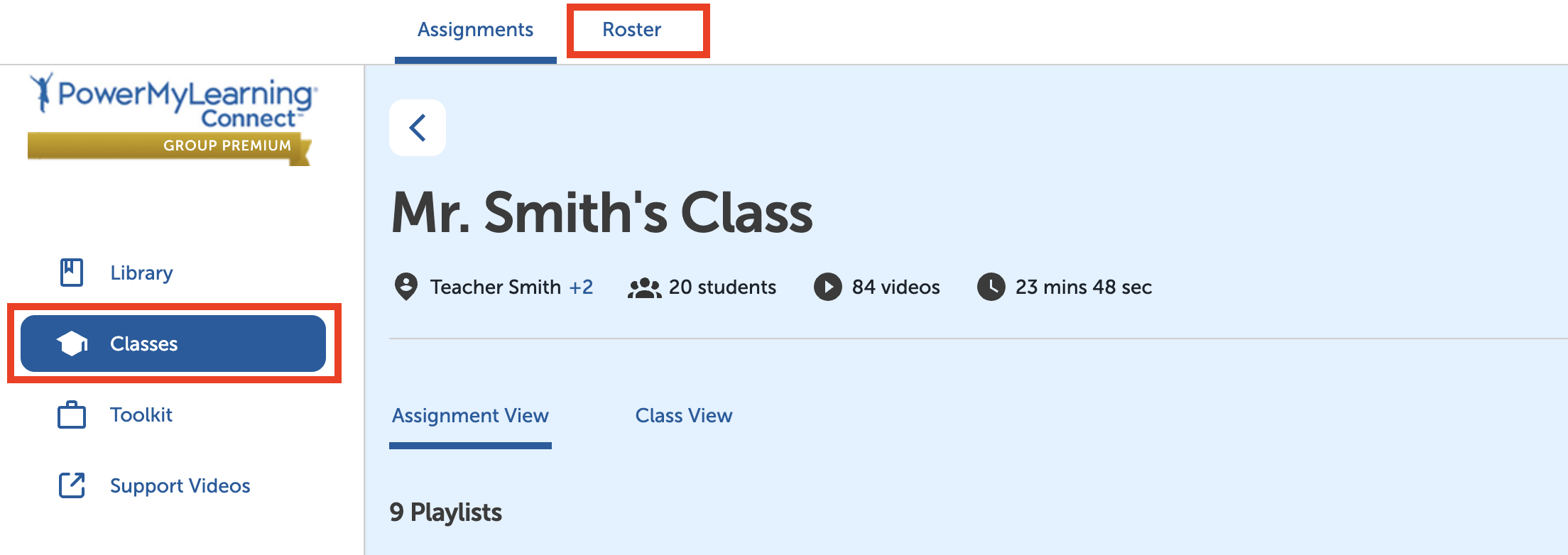
Select Classes in the left-hand menu.
Select a class.
Select Roster at the top of the page.
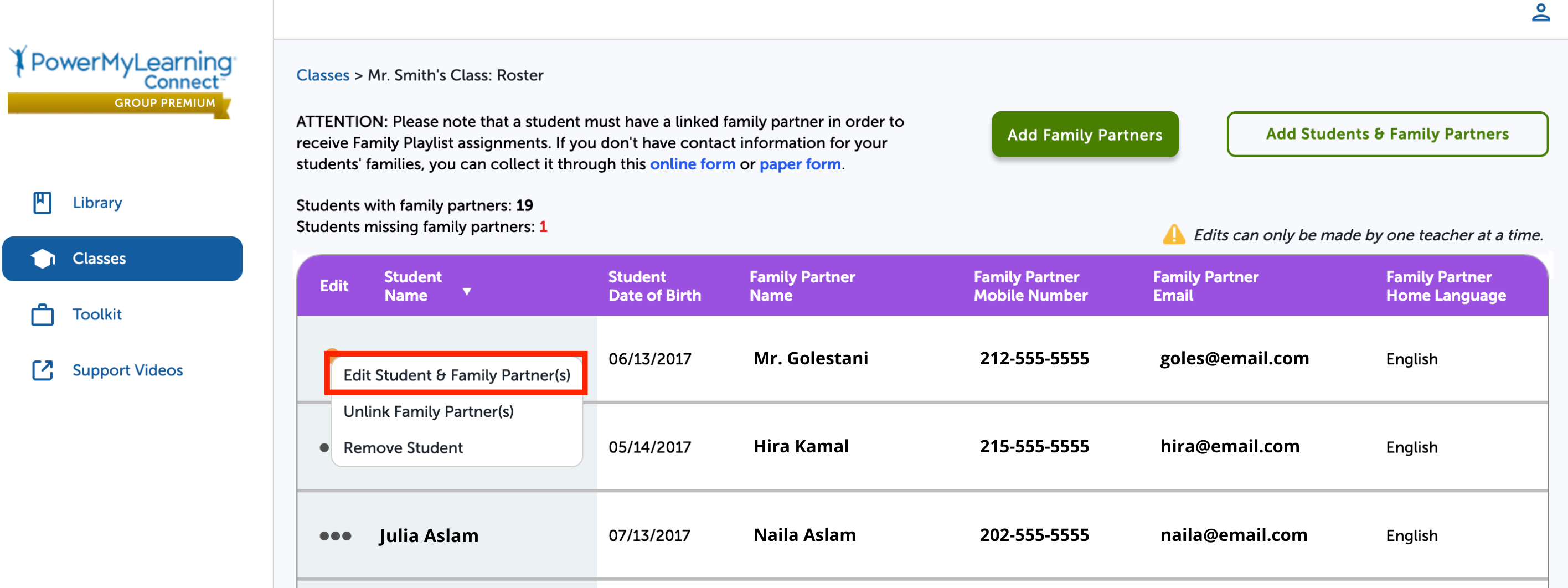
Select the three dots next to the student’s name.
Select Edit Student & Family Partner(s).
Update the family partner’s information.
Select Done.