
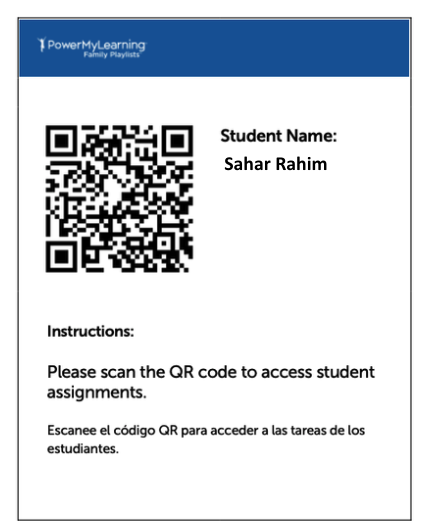
Students can log in to MathVoice using QR codes. Teachers can share QR codes with individual students or the whole class. Students can access their dashboard at home or in school using this QR code.
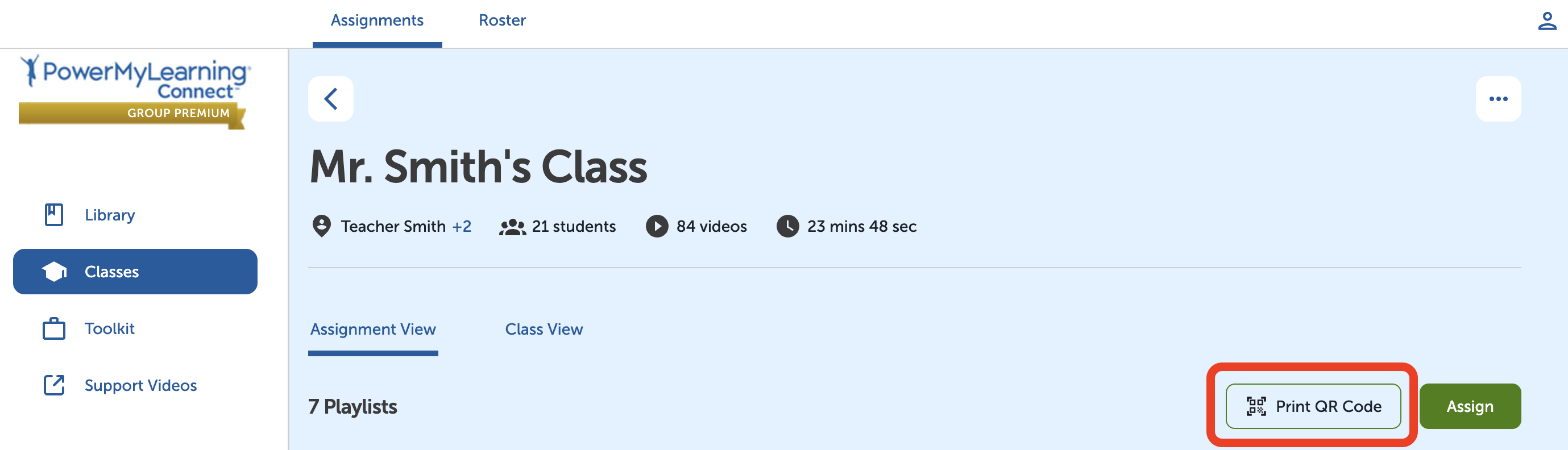
To print and share QR codes:
- Select Classes in the left-hand menu.
- Select a class.
- Select Print QR Code at the top right of the page.
- Select individual students or the entire class.
- Select Print.
To log in to MathVoice using a QR code:
- Scan the QR code.
- Enter the student’s first name initial + the teacher’s last name
Example: If this student's teacher is Mr. Williams, this student will enter sWilliams after scanning the QR code.
Tips:
- Share the QR in a durable format, like laminated or taped inside a student folder.
- Before sharing QR codes broadly, test a few student accounts on school devices.
- Encourage students to share the QR code and login instructions with their family partner.